
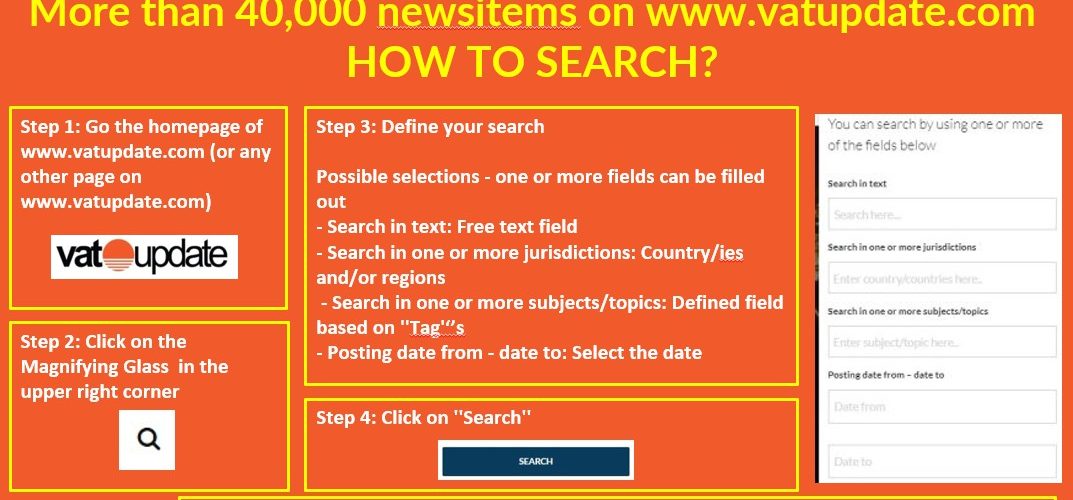
Step 1: Go the homepage of www.vatupdate.com (or any other page on www.vatupdate.com)

Step 2: Click on the Magnifying Glass in the upper right corner

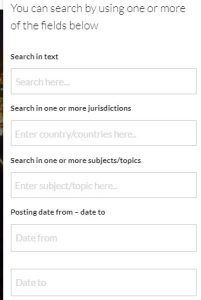
Step 3: Define your search
Possible selections – one or more fields can be filled out
- Search in text: Free text field
- Search in one or more jurisdictions: Country/ies and/or regions
- Search in one or more subjects.topics: Defined field based on ”Tag”’s
- Posting date from – date to: Select the date
Step 4: Click on ”Search”

Latest Posts in "World"
- E-Invoicing & E-Reporting developments in the news in week 43/2026
- VAT Split Payment in Poland and Italy: How It Works and Where It Applies
- UN Tax Committee Advances Five-Track VAT Work Programme
- Digital Services Tax vs VAT on Digital Services Across Countries
- Join the VATupdate.com Global VAT Advisor Network – Put your company in our spotlight!!!